


8.7x5 Inch Graphics Tablet Huion Inspiroy 2
- Regular price
-
$120.16 - Regular price
-
$0.00 - Sale price
-
$120.16
Couldn't load pickup availability
Shipping information
US (3 to 5 business days)
International (6 to 12 business days)
Returns information
We have a 30-day return policy, which means you have 30 days after receiving your item to request a return.



Product Details
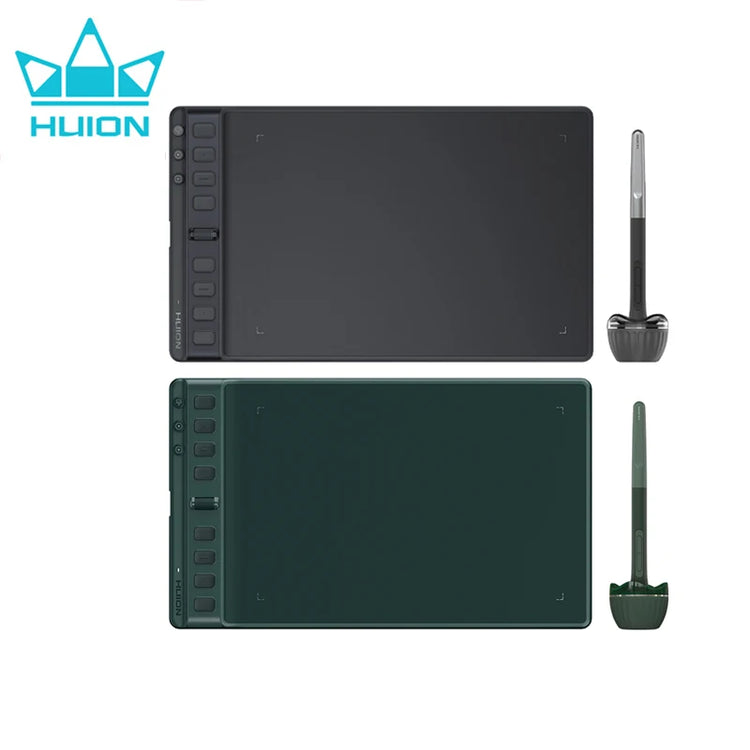
8.7x5 Inch Graphics Tablet Huion Inspiroy 2 M H951P Digital Tablet PenTech3.0 PW110 Battery-free Stylus with Scroller Group Keys
Two colors for Choice: Pine Green & Black

Wide OS Compatibility
Inspiroy 2 runs on Windows, macOS, Linux, ChromeOS, Android and HarmonyOS, allowing you to switch freely between your PC, Android phone and tablet.

Group Keys, One Press Key, Three Functions
It's a first for Huion to add three Group Keys to Inspiroy 2. Therefore, the press keys can be extended from 8 to 24, achieving more functions in an App and greatly simplifying your workflow. Aside from that, you can customize the press keys via the driver. Without memorizing it, you can see the function of every key in Press Keys View interface.

Shortcuts and Scroller, Simpler to Navigate, Easier to Use
The press keys are much easier to navigate due to the bar height (2mm higher than the drawing surface), the color difference between the press keys and the bar, and the bumps on the press keys. Furthermore, Inspiroy 2 includes a very handy Scroller, sensitivity of whom can be adjusted in the driver, similar to a mouse scroll wheel.

Compatible with Your Phone and Tablet, Aside from PC, Inspiroy 2 is also compatible with Android and HarmonyOS phones and tablets, greatly expanding compatibility and allowing you to easily connect it to your device, whether you are a beginner or a professional artist. Working area: PC mode is 221mm*138mm, phone mode is 138mm*69mm.


Available for Left-handed Artists As Well. The Type-C charging port sits at the center of the left side of the pen tablet. As for overall design, the press keys and Scroller are placed symmetrically. If you are left-handed, you can adjust the tablet to 180° in the driver. If you often use a vertical monitor to deal with your work, then you can directly rotate the tablet to 90° .


